Times Tables - Multiplication
BrainSoft AppsEducational
4.651.00 Reviews
- Version
- 2.5.0
- Installs
- 1.00M
- Age Rating
- Everyone
Screenshots
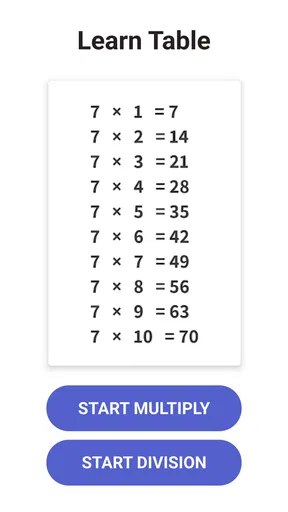
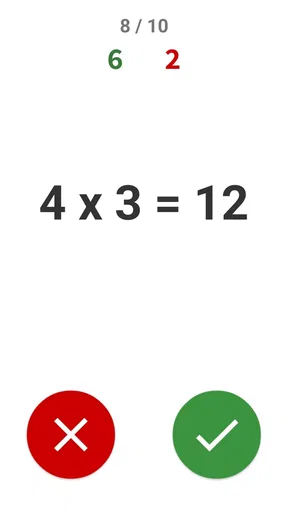
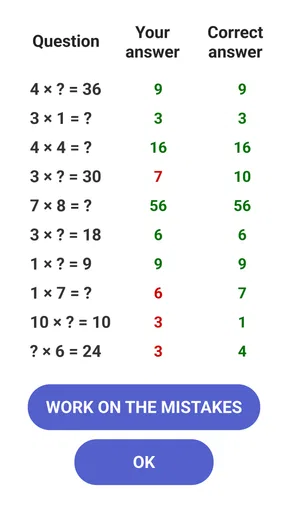


Our Review of Times Tables - Multiplication
 Analysis by Appyee
I judge a children’s learning game partly by what happens before the first question: can a child find their way around, understand what the activity asks, and keep going without an adult translating every screen? Times Tables - Multiplication is aimed at practicing multiplication, with division also part of its educational focus. That narrow purpose can be a strength: a child who needs repeated times-table practice gets a more focused option than a general learning app, though it is not a complete maths course.
Clear routines matter more than flashy screens
For a child who already recognizes numerals and multiplication questions, a quiz format can make practice feel approachable. I would still begin together, especially with a younger learner: check that the child knows how to start an activity and what to do when an answer is wrong. A familiar routine—open the game, complete a short practice session, then stop—can reduce the effort of getting started without turning the app into a substitute for a teacher.
One useful way to use multiplication practice is to connect it to something the child already understands. If they are working on groups of equal size, pause after a question and ask them to explain the groups aloud or sketch them on paper. The screen can prompt recall, while the conversation or drawing checks whether the answer is understood rather than merely remembered. That distinction matters when a child can recite a table but struggles to apply it in a word problem.
Choose the right moment and share the device
A realistic use case is a brief session after homework, when a child has already covered a table at school and wants another chance to retrieve it from memory. I would avoid treating a run of correct answers as proof that the topic is mastered. Instead, look for whether the child can return to the same facts later and explain how they got an answer. If practice leads to frustration, stop and revisit the idea with counters, drawings, or a patient adult rather than pushing through more rounds.
For families sharing one phone or tablet, it helps to agree whose turn it is and keep practice tied to a specific learner’s goal. Otherwise, a child may end up tapping through while a sibling answers aloud, which makes the activity less useful for the person who needs the practice. An adult can ask the learner to say an answer before touching the screen; that small change keeps the child doing the thinking even when someone else is nearby.
I would also treat the game as a supplement, not the only route into multiplication. Paper exercises are easier for showing working, manipulatives make equal groups visible, and a teacher can spot a misconception that a correct tap does not reveal. Compared with a broad educational app, this game’s focused times-table purpose is easier to fit into a short practice slot; compared with a workbook, it offers a more playful format but less room to show a method. The best choice depends on whether the child needs repetition, explanation, or both.
Who is likely to benefit—and who may need another approach
This is most suitable for learners who are ready to recognize multiplication facts and benefit from repeated practice in a game setting. A parent can make it more useful by choosing one small goal for a session—such as revisiting a table the child is learning—instead of asking for a long, open-ended stretch. Adults brushing up on basic multiplication may also appreciate a low-pressure way to revisit familiar material.
It is less likely to be the right first step for a child who does not yet understand what multiplication represents, or who needs carefully scaffolded instruction before timed or quiz-style recall. In that situation, I would start with objects, drawings, or an adult explaining equal groups, then use the game only when the underlying idea is clearer. A learner who wants broad lessons across arithmetic, geometry, and other school topics should look for a wider curriculum rather than expect this focused title to cover everything.
Getting Started with Times Tables - Multiplication
First things first, let's talk about the setup. Downloading Times Tables - Multiplication is a breeze, available on both Android and iOS platforms. Once installed, the app greets you with a colorful and user-friendly interface, making it inviting for users of all ages. No complicated sign-ups here; just jump right in and start multiplying!
Features That Keep You Hooked
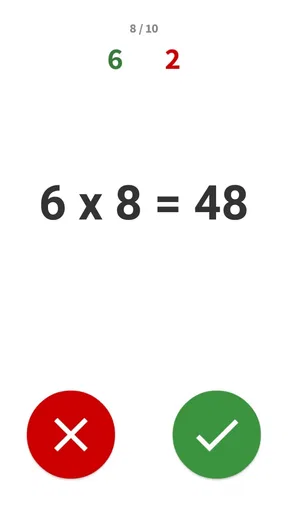
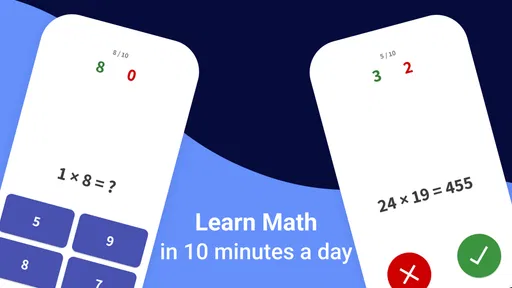
One of the coolest features of this app is its interactive quizzes. Imagine a game where you’re not just playing, but learning too. The quizzes are designed to challenge and improve your multiplication skills, with levels that gradually increase in difficulty. It keeps you on your toes, ensuring that you’re always learning something new.
Another highlight is the app’s progress tracking feature. It’s like having a personal math coach right in your pocket. You can easily monitor your improvement over time, which is super motivating. Whether you’re making slow and steady progress or blitzing through the levels, it’s satisfying to see those numbers go up.
Why Kids (and Adults) Love It
So, why do people love this app so much? For starters, it turns learning into a fun experience. The app incorporates game-like elements that engage users, making it feel less like a chore and more like playtime. It’s a perfect blend of education and entertainment.
Parents appreciate the educational value, knowing their kids are spending screen time wisely. Meanwhile, adults love it for its nostalgic touch, reminding them of their school days while offering a chance to brush up on forgotten skills. Plus, the app’s design is simple yet effective, ensuring that anyone can navigate it without a hitch.
Reading, movement, and sensory comfort
Educational content is only useful when a learner can comfortably perceive and respond to it. The bright, welcoming presentation described here may help make practice feel less formal, but visual preferences vary. A child who finds colorful screens distracting may do better with a quiet paper exercise first, then use the game for a short burst of recall. I would watch the learner rather than assume that a playful look works equally well for everyone.
The quiz approach also asks a learner to look at a prompt and make a response on a device. That may suit someone comfortable tapping through a screen, while a child who finds precise touch interaction tiring or difficult may need an adult nearby or another practice format. A spoken answer before tapping can keep the child engaged in the maths even if the adult handles the device. It is a practical workaround, not a replacement for controls designed around a particular access need.
For children who are sensitive to stimulation, the best test is a short, supervised session. Notice whether the screen helps them focus or pulls attention away from the number work. If the child becomes overloaded, switch to a calmer activity and return another time. I would not assume that game-like presentation automatically makes learning easier; for some learners, less visual activity and more time to think are the better combination.
Making practice work in everyday settings
The game is easiest to use when the device is already available and the child has a clear stopping point. A quick session at home can fit between schoolwork and another activity, while a shared family device may require an adult to help the learner get started. I would keep the goal modest: practice a little, then ask one or two questions away from the screen to see whether the facts carry over.
It may be convenient for a parent to sit beside a child and use the quiz as a prompt for conversation, but it is not the same as a lesson with a teacher. If the learner is stuck, ask what the numbers mean rather than immediately supplying the answer. For example, invite them to describe equal groups or use objects nearby. This helps distinguish a momentary recall problem from a gap in understanding and gives the adult a better idea of what kind of help is useful.
The game is free to get started, and it is rated for everyone. BrainSoft Apps is the developer; the title has an average rating of 4.5 from around 12,000 ratings and over a million installs. Those figures suggest that it has reached many players, but they do not tell me whether it fits a particular child’s learning or access needs. It includes optional in-app purchases, with items ranging from $0.99 to $19.99, so I would check purchase settings on a child’s device before handing it over.
Room for Improvement?
While the app is pretty solid, there’s always room for growth. Some users have suggested that adding more diverse game modes or even a multiplayer option could enhance the experience. Imagine challenging your friends or family to a multiplication duel! It could add a whole new layer of excitement.
Additionally, more customizable settings could cater to different learning styles. Perhaps incorporating visual aids or sound effects for each correct answer might make the learning process even more engaging for younger users.
There is a trade-off in keeping the activity focused: a child looking for a richer explanation of why a multiplication fact works may need a book, teacher, or hands-on materials alongside the quizzes. I would also avoid assuming that a score or a smooth run through questions proves long-term recall. The most helpful check is whether the learner can answer again after a break and use the fact in a different context.
The title is free, but optional purchases deserve a little family planning. Before a child begins, I would clarify whether purchases are allowed and secure the device’s purchase controls as appropriate. That avoids turning a practice session into a conversation about buying extras. The game can still be judged on its core learning use without treating paid items as necessary for every learner.
For technical fit, the current version is 2.4.3 and it requires Android 6.0 or later. It was released on March 30, 2021, and carries an Everyone age rating. If you are choosing it for a child, those basics are worth checking against the device and your household’s expectations; the age label is not a guarantee that the learning style will suit every child.
A practical, inclusive verdict
My recommendation is to think of this as a focused practice tool, not a universal solution. It can be a good fit for a learner who is comfortable with a quiz, wants more multiplication repetition, and benefits from a parent helping set a manageable goal. It is a weaker choice as a first explanation of multiplication, for a child who needs a very low-stimulation format, or for anyone seeking a full maths curriculum. In those cases, hands-on grouping, paper, or guided teaching may be the better starting point.
That balance is why I would try it in a short session rather than commit to a long routine immediately. Watch whether the child can navigate the activity, stay comfortable, and explain an answer afterward. If all three are working, it can earn a place in a varied practice routine; if not, changing the method is more helpful than insisting that every learner adapt to a game.
The Final Verdict
In the end, Times Tables - Multiplication is a fantastic app for anyone looking to hone their multiplication skills. Its engaging interface and effective learning tools make it a standout choice in the education category. Whether you’re a student, a parent, or just a math enthusiast, this app is definitely worth a try.
So go ahead, give it a download, and start multiplying your math prowess today!
Privacy and Permissions
See what permissions an app requests and how it handles your data.
- Wi-Fi connection information
- view Wi-Fi connections
- Other
- view network connections, full network access, control vibration, prevent device from sleeping, Google Play license check
Verdict
Strengths of Times Tables - Multiplication
- Engaging interface for kids.
- Adaptive difficulty levels.
- No internet required.
- Includes fun mini-games.
- User-friendly navigation.
Limitations of Times Tables - Multiplication
- Limited to basic multiplication.
- Ads can be distracting.
- No progress tracking features.
- Lacks variety in exercises.
- Not ideal for older students.
Other Releases by BrainSoft Apps
View All
DMV Practice Test: Permit 2026
Auto & Vehicles4.7
Similar Picks in This Category
View All
Little Panda Policeman
BabyBus4.0

Monster Trucks Game for Kids 2
Raz Games4.1

Little Panda's Chinese Recipes
BabyBus4.4

Little Panda's Restaurant
BabyBus4.4

Little Panda's Ice Cream Games
BabyBus4.3

Baby Panda Care
BabyBus3.8
Frequently Asked Questions
What age group is Times Tables - Multiplication suitable for?
Times Tables - Multiplication is designed for children in elementary school, typically aged 6 to 12. It's an excellent tool for young learners who are beginning to explore the fundamentals of multiplication. The app includes various levels of difficulty, making it adaptable for both beginners and those needing more challenging exercises.
Does the app offer any interactive features to enhance learning?
Yes, the app includes interactive quizzes and games that make learning multiplication tables engaging and fun. These features are designed to help students practice and retain their multiplication skills through repetition and interactive feedback. The gamified experience encourages users to continue learning and improving.
Is Times Tables - Multiplication available offline?
The app can be accessed offline once it is downloaded, making it convenient for use in situations where internet connectivity is limited or unavailable. This feature is particularly useful for parents and teachers who want to incorporate learning into different environments, such as during travel or in classrooms without internet access.
How does the app track progress and performance?
Times Tables - Multiplication includes a progress tracking system that allows users to monitor their achievements and identify areas that need improvement. It provides detailed reports on completed exercises and scores, enabling learners and parents to see a clear picture of the user's development over time.
Are there any in-app purchases or advertisements?
The app offers a free version with basic features, but it may include advertisements. For an ad-free experience and access to additional features, users can opt for the premium version through in-app purchases. This option provides a more seamless learning experience and unlocks advanced exercises.
Play our best games!


